The authoring layer
You write the stories. Architect builds the game data.
You write the lore and stories. Architect turns it into structured entities, mapped relationships, branching narratives, game logic, and engine-ready exports.
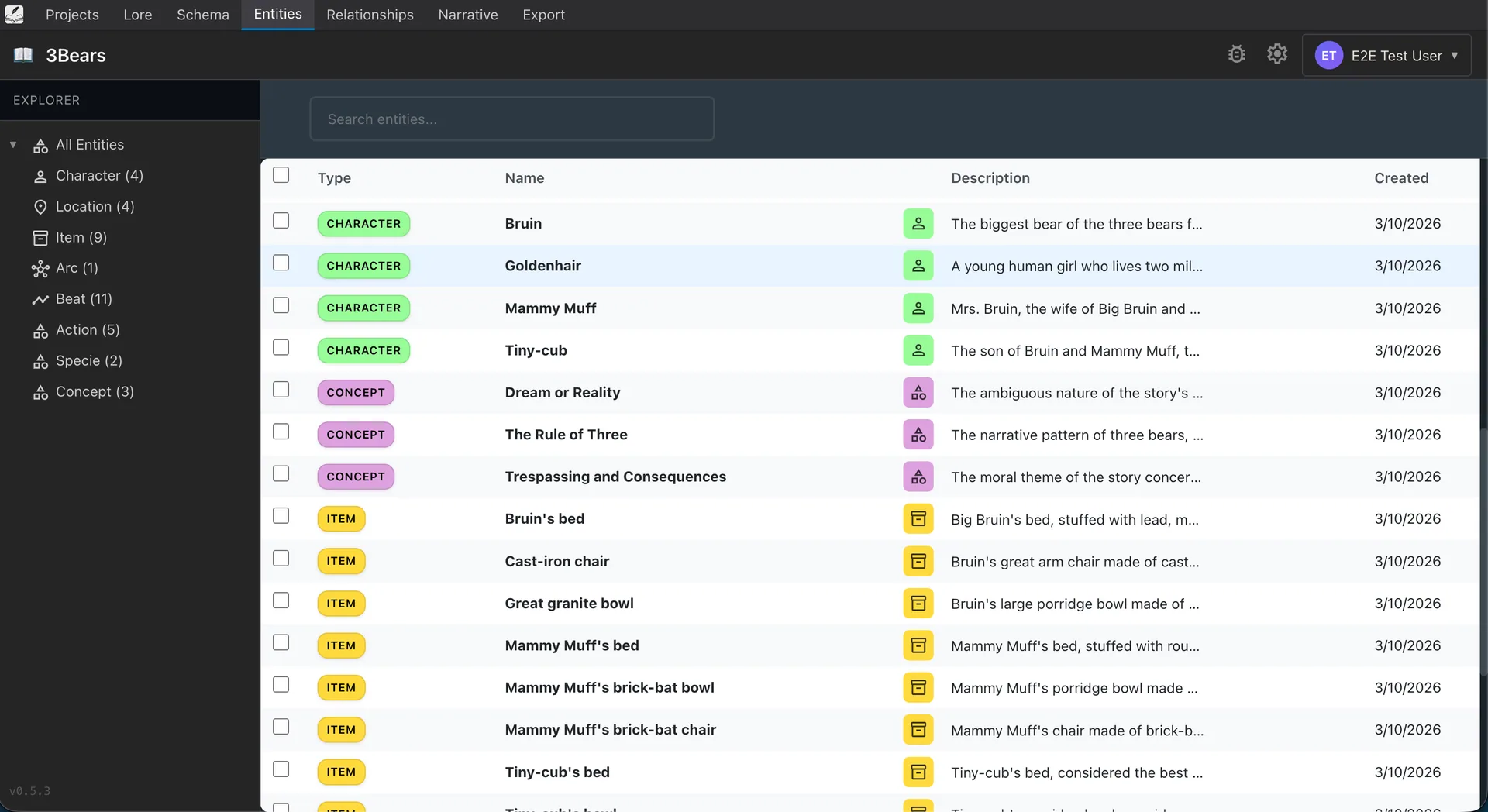
What is Architect?
LoreWeaver Architect is a narrative design environment that transforms existing lore, notes, and story documents into structured entities, mapped relationships, and engine-ready exports. It uses AI to extract characters, locations, factions, and story arcs from unstructured prose, then lets designers build branching narratives on a visual canvas, define gameplay behaviour and rulesets, localize the whole world, and export to Unity, Unreal, or JSON. Teams share one canon with roles and history, and a full CLI gives coding agents the same reach as the web app. Architect starts free.
Free
To start
Any
Entity type
100%
Creative control
200x
Faster
01How it works
Lore in. Game data out.
Six steps, one pipeline
Step 01
Import Your Lore
Upload your documents, notes, and world bibles. Architect chunks and processes them automatically. No reformatting. No restructuring. Just drag and drop.
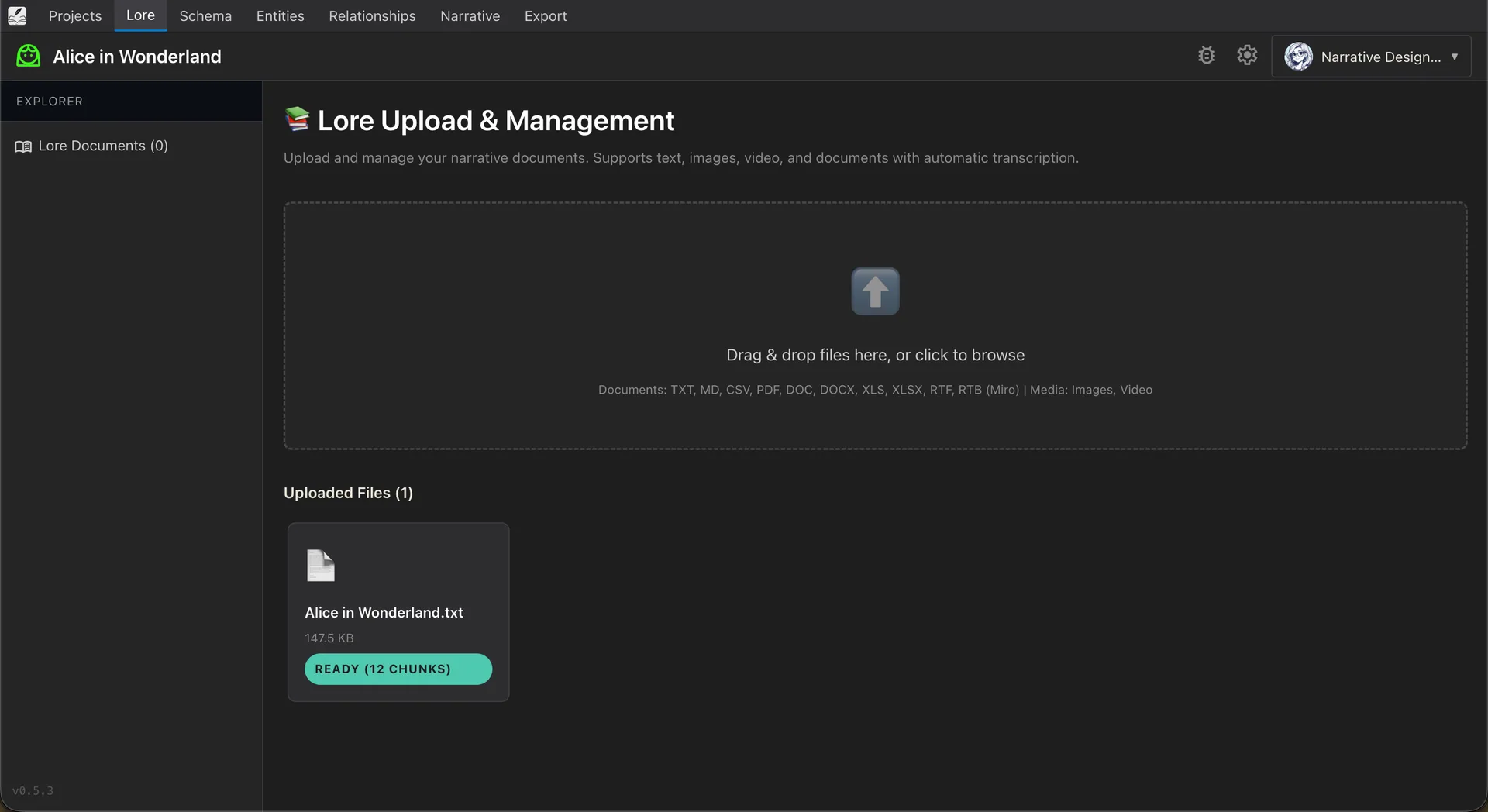
- 01PDF, Word, Markdown, and plain text
- 02Confluence, Notion, and Google Drive import
- 03Handles documents of any size
Step 02
AI Generates Your Schema
Architect reads your lore and suggests entity types and fields tailored to your world. Characters, locations, factions, items, arcs, quests. You review and customize everything.
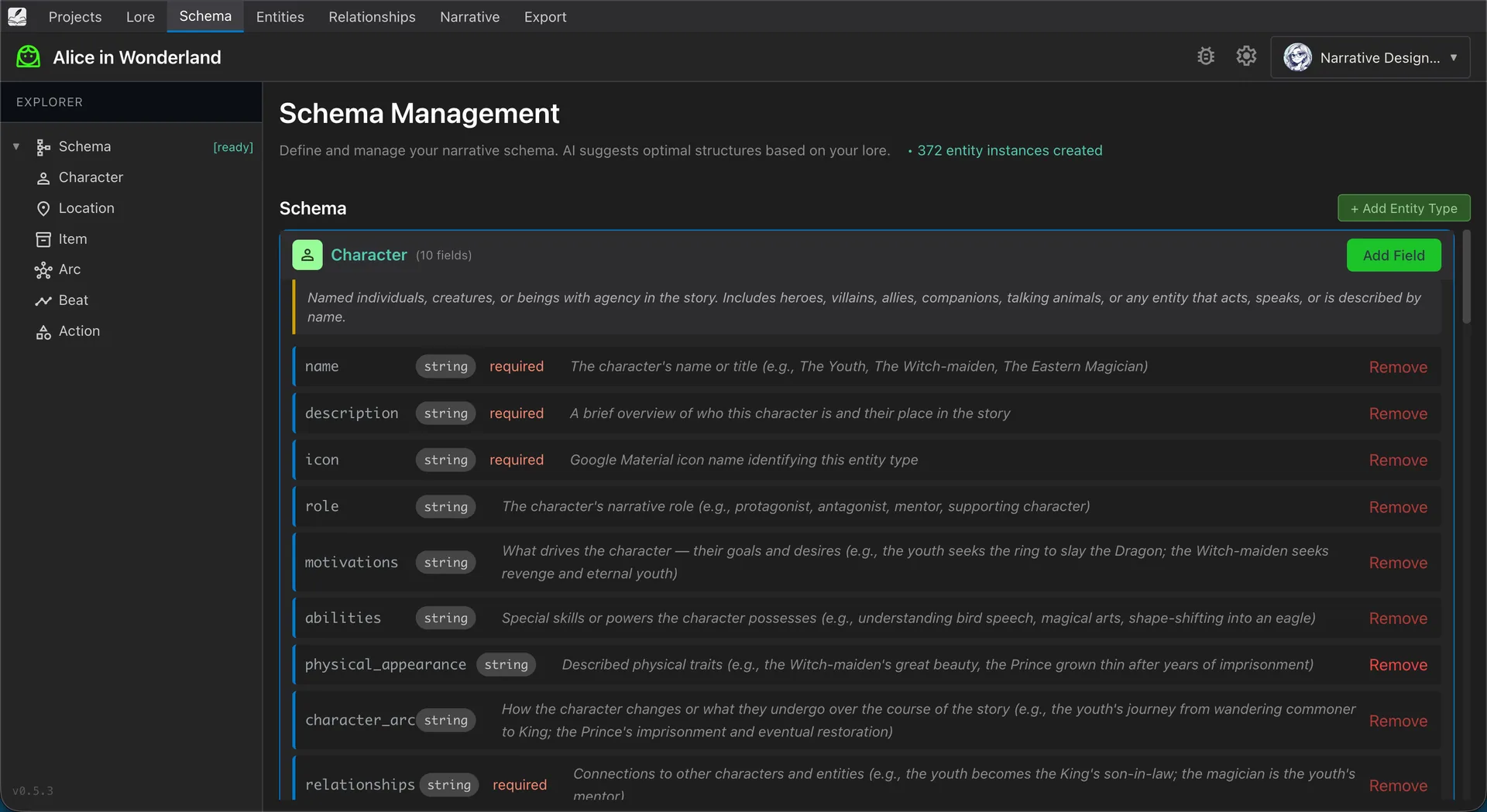
- 01Characters, locations, factions, items, arcs, quests, and your own types
- 02Custom fields and types for your project
- 03Full control over what gets extracted
Step 03
Extract and Review Entities
AI pulls every character, location, item, faction, and concept from your lore. Color-coded, searchable, and fully editable. You approve what stays.
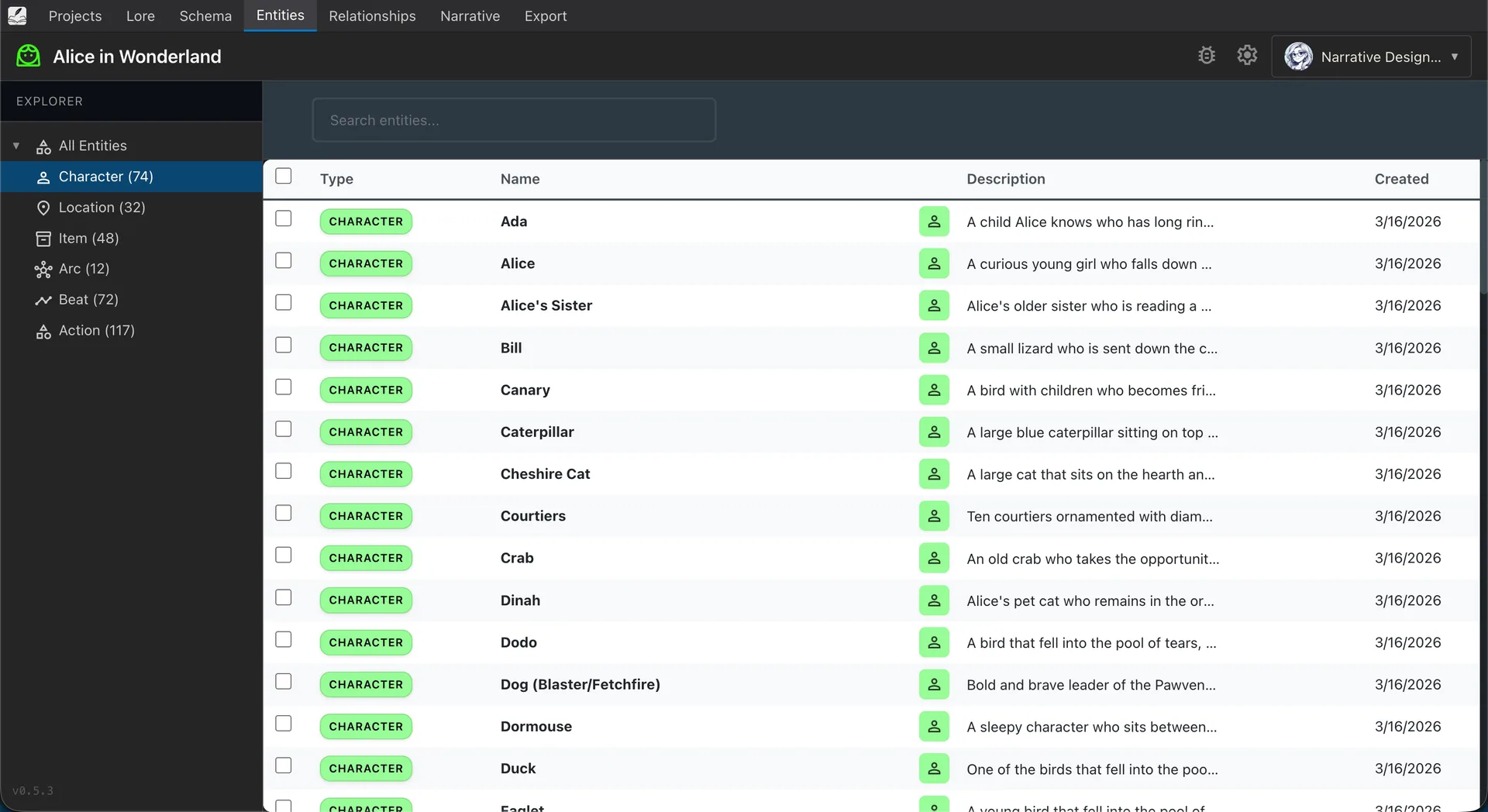
- 01Hundreds of entities extracted in minutes
- 02Merge duplicates, edit details, add new ones
- 03Every entity is yours to refine
Step 04
Map Relationships
See how everything connects on an interactive graph canvas. Relationships are auto-resolved from your lore. Refine them visually.
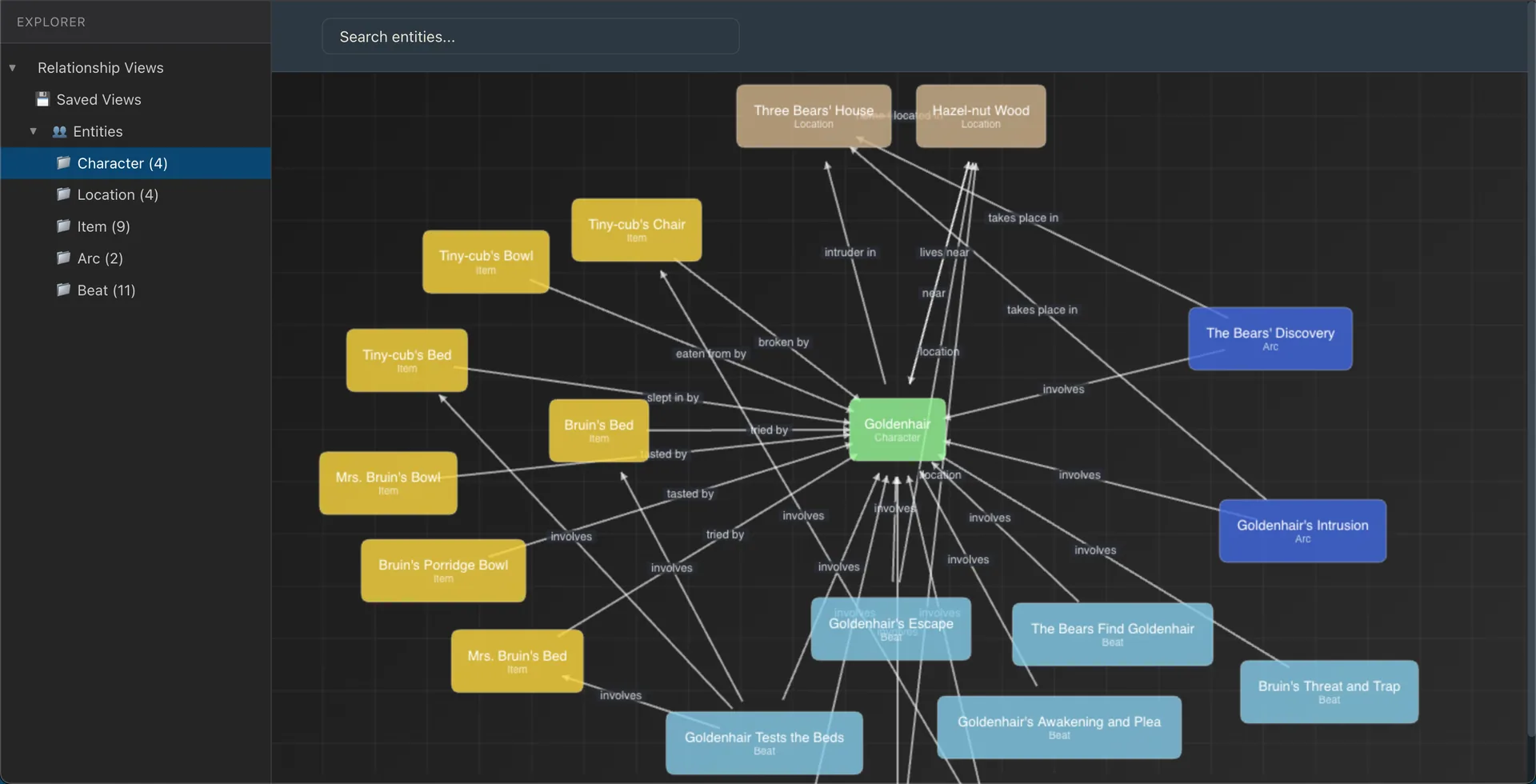
- 01Interactive graph with all entity connections
- 02Filter by entity type, search by name
- 03Click any node to inspect and edit
Step 05
Design Narrative Structure
Build branching stories on a node-based canvas. Arcs, beats, and scenes with conditional logic and project variables. See how your narrative flows before it ships.
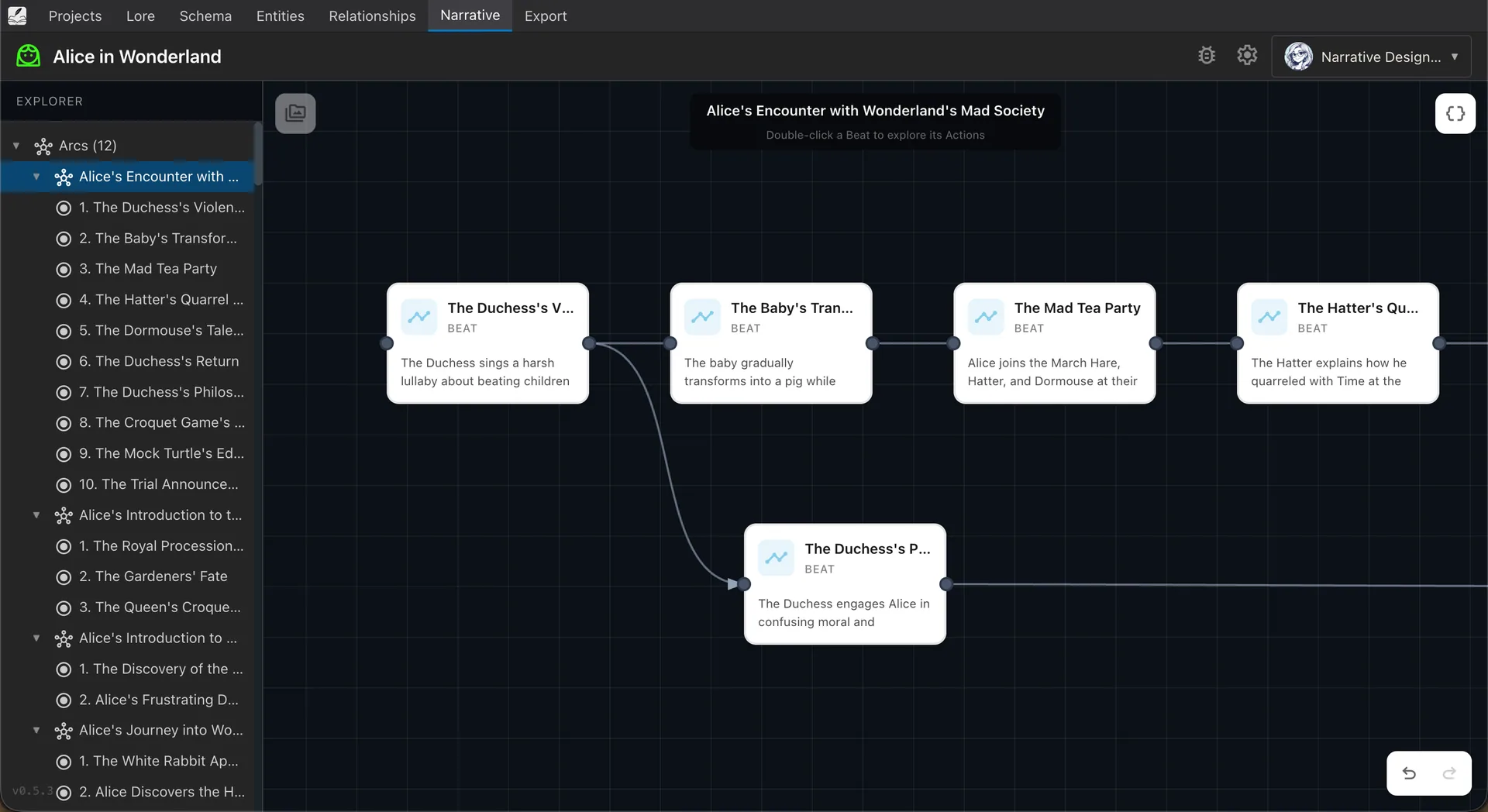
- 01Visual flowchart for story arcs and beats
- 02Conditional branching with expressions
- 03Drill into any arc to design scene-level detail
Step 06
Export to Your Engine
Templated exports for Unreal, Unity, and more. Custom templates let you match any pipeline. One click and your narrative data is engine-ready.
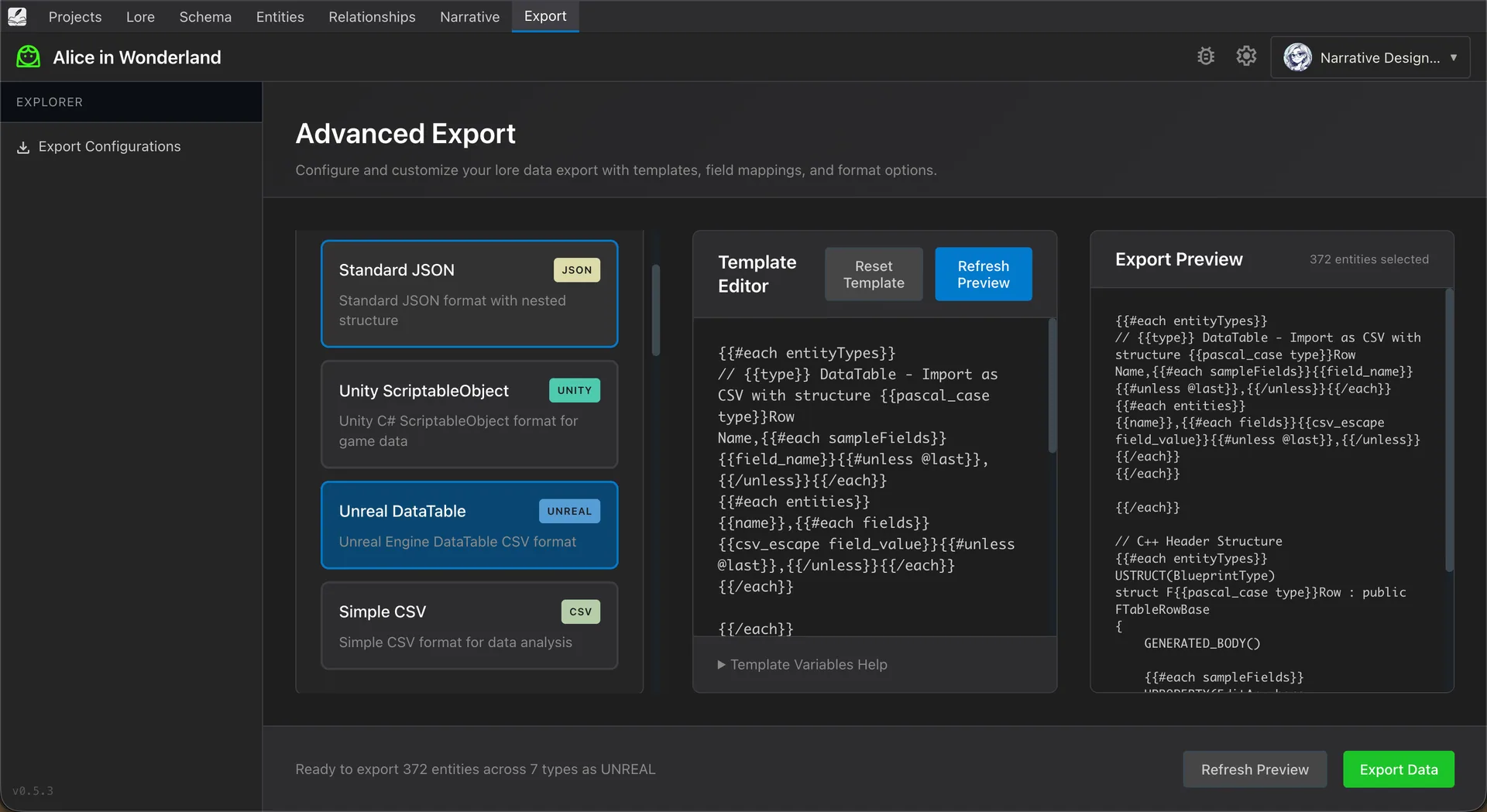
- 01Unreal DataTable and Unity ScriptableObject
- 02JSON, XML, CSV, and custom templates
- 03Filter by entity type or specific entities
02The shift
Automate the slow work. Focus on the creative.
Architect removes production friction, not your creative voice.
Before Architect
- Writers spend weeks structuring lore across spreadsheets, wikis, and docs
- 2 to 4 week handoff lag between narrative docs and game implementation
- Consistency breaks across hundreds of thousands of words
- Manual reformatting for every engine and every iteration
With Architect
- AI extracts and structures entities from your existing documents
- Engine-ready export in the same session you import
- Relationships auto-resolved across your entire lore base
- Templated exports for Unity, Unreal, JSON. No reformatting.
03Built for production
Built for production, not demos.
Everything is structured, editable, and yours.
Visual Relationship Mapping
01See how every character, faction, and location connects. Not in a spreadsheet. On an interactive graph, with a wiki view your whole team can read.
Node-Based Story Canvas
02Design arcs, beats, and actions with branching that turns on real game state. Generate story arcs inside your world, then check that a player can reach the ending before anything ships.
Templated Engine Export
03Not just JSON dumps. Exports shaped to your own engine schema, checked before they ship, with custom templates for Unity, Unreal, and any pipeline you run.
Gameplay and Rulesets
04Give any character, place, or item actions your engine can run. Bind a ruleset and fill stat blocks from the rules you actually play by.
Localization Lens
05View and export the whole world in another language without touching the original. Translate in bulk, proof dialogue line by line.
Collaboration and History
06See who is working where, comment anywhere in the world, review drafts before they become canon, and go back to any checkpoint. Nothing is ever lost.
04Teams and agents
One canon. Every seat. Every agent.
Studios and seats
01Writers hold seats and roles, reviewers approve drafts before they become canon, and everyone works from one shared world. Viewers never take a seat.
Built for coding agents too
02Everything the web app does is available from the command line, so your coding agent can run the pipeline as part of your build. An agent never gets more authority than the person who set it up.
05Field notes
What early access users are saying.
We can cut weeks out of the production cycle.
Upload document, click a few buttons, and boom. Ready.
This is amazing! One file, very generic, and it mapped it out perfectly.
06The pipeline
From creation to execution.
Architect and Director are built to work together. One authors the narrative, one runs it.
Architect
01Builds your narrative systems: quests, dialogue, structure. The authoring layer.
You are hereDirector
02Runs them in real time: behavior, adaptation, emergence. The runtime layer.
Learn about Director →Works with your tools
No new pipeline required.
 Unreal Engine
 Unity
Unity
Architect is not another dialogue editor. It starts where no other tool does: with your existing lore. It extracts, structures, connects, and formats. The creativity is yours. The production work is not.
Pricing
From free.
- Free €0: One project, every authoring tool.
- Starter €5 per month: Unlimited projects and engine exports.
- Pro €20 per month: Import from your team's tools, localize your world.
- Max €50 per month: Priority processing and first access.
- Studio+ €200 per writer seat, per month: Teams, roles, and one shared canon.
Nothing you make is capped.
Your world exports whole, on every plan.
Start Building Better Narrative, Faster
Bring your own lore and we'll show you how Architect turns it into game-ready narrative, live.
07Questions
Architect FAQ
What is LoreWeaver Architect?
Architect is a narrative design environment that turns existing lore, notes, and story documents into structured entities, mapped relationships, and engine-ready exports. You can extract characters, locations, factions, and story arcs from unstructured prose, build branching narratives on a visual canvas, and export to Unity, Unreal, or JSON.
How much does Architect cost?
Architect starts free. Free gives you one project and every authoring tool. Paid plans run from 5 EUR a month (Starter) through Pro and Max to Studio+ at 200 EUR per writer seat with no base fee. Every plan includes the whole pipeline; plans differ in depth, priority, and weekly AI usage. Nothing you make is capped and your world exports whole on every plan.
What can I import into Architect?
Plain text, Markdown, Word documents, and PDFs on every plan. Pro and above can also pull pages straight from Confluence, Notion, and Google Drive.
Which game engines can I export to?
Unity and Unreal Engine, plus JSON, XML, CSV, and custom templates for any other pipeline. Every export is editable, and a world bundle lets you take your whole world with you.
Does Architect use AI, and do I lose creative control?
Architect uses AI to accelerate extraction and structuring, but you keep 100% creative control. Every entity, relationship, and branch is reviewable and editable. Nothing ships to your game without your approval.
Can I use Architect without Director?
Yes. Architect is a standalone narrative design tool. You can use it purely to structure your lore and export to whatever runtime you already have.
Is Architect suitable for solo developers and small teams?
Yes. Solo developers and worldbuilders start on Free or Starter. Studio+ adds writer seats, roles, and one shared canon for teams, and viewers are never counted.
Can my coding agent use Architect?
Yes. Everything the web app does is available from the command line, on your own machine, so a coding agent can run your pipeline. An agent never gets more authority than the person who set it up. Command line access is included from Starter upward.
Build record
Everything in it, written down.
If you want the full inventory rather than the highlights, the build record lists what is in the current Foundry build, in plain terms.
Read the Foundry build record →